The Epson SureColor SC-S9100 Service Support Tool is a professional maintenance utility designed for Epson authorized service technicians and advanced printer maintenance. It provides access to service functions that are not available through the standard printer driver or user software.
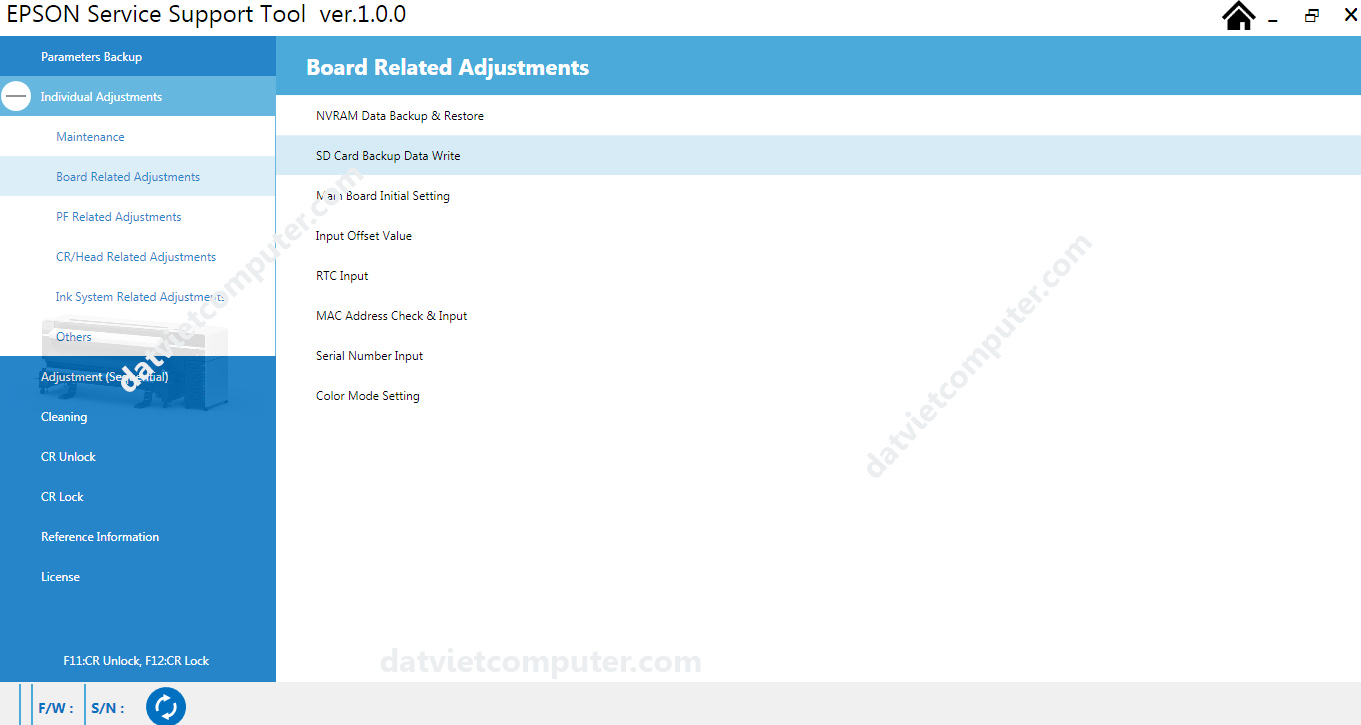
- Download Epson SureColor SC-S9100 Service Adjustment Program to reset waste ink pad counters and fix service errors for SC-S9130, SC-S9140, SC-F9150, SC-S9160, SC-S9170, SC-S9180 printers.
Supported Printer Models
The SC-S9100 Service Adjustment Program supports the following Epson SureColor series printers:
- Epson SureColor SC-S9130
- Epson SureColor SC-S9140
- Epson SureColor SC-S9150
- Epson SureColor SC-S9160
- Epson SureColor SC-S9170
- Epson SureColor SC-S9180
These printers are widely used in signage production, banner printing, textile sublimation, and commercial graphic applications. Since they share similar hardware architecture and firmware structures, the SC-S9100 adjustment tool is designed to service them efficiently.
Sequential Adjustment
Cleaning
Printhead Cleaning
CR Unlock / CR Lock
System Reference Information
License
F11: CR Unlock / F12: CR Lock
Keyboard shortcuts to unlock/lock the print carriage
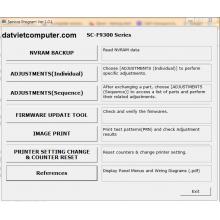
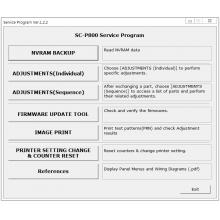
Individual Adjustments
1. Maintenance
Sensor Check – Verification of the status of all sensors
Heater Check – Verification of the heating (drying) system
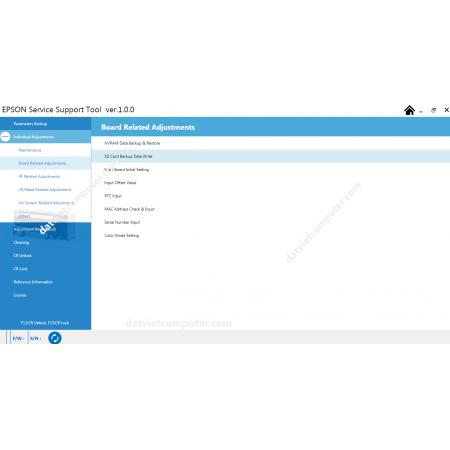
2. Board Related Adjustments
NVRAM Data Backup & Restore – NVRAM data backup and restore
SD Card Backup Data Write – Writing backup data to an SD card
Main Board Initial Setting – Initial motherboard configuration
Input Offset Value – Manual input of offset values
RTC Input – System date and time correction (Real Time Clock)
MAC Address Check & Input – MAC address verification and input
Serial Number Input – Plotter serial number entry
Color Mode Setting – Color mode setting
3. Paper Feed Related Adjustments
4. Print Head/Carriage Related Adjustments
5. Ink System Related Adjustments ink)
6. Others (Other functions)
COMPLETE MAIN FUNCTIONS
Parameters Backup
Full backup of plotter parameters
Individual Adjustments
1. Maintenance
Sensor Check – Verification of the status of all sensors
Heater Check – Heating (drying) system verification
2. Board Related Adjustments
NVRAM Data Backup & Restore – NVRAM data backup and restore
SD Card Backup Data Write – Writing backup data to SD card
Main Board Initial Setting – Initial configuration of the motherboard
Input Offset Value – Manual entry of offset values
RTC Input – System Date and Time Correction (Real Time Clock)
MAC Address Check & Input – MAC address verification and input
Serial Number Input – Plotter serial number entry
Color Mode Setting – Color Mode Settings
3. PF Related Adjustments (Paper feed adjustments)
4. CR/Head Related Adjustments (Carriage/Head Adjustments)
5. Ink System Related Adjustments
6. Others (Other functions)
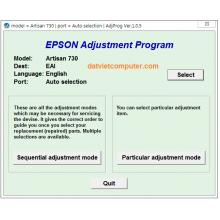
Adjustment (Sequential) – Sequential adjustment
Cleaning – Printhead Cleaning
CR Unlock / CR Lock – Unlocking / locking the carriage
Reference Information – System Reference Information
License – Software license information
F11: CR Unlock / F12: CR Lock – Keyboard shortcuts to unlock/lock carriage
FEATURED FUNCTION: ERROR 0014BD RESET
Ink Leak Flag Reset – Ink Leak Flag Reset
What does it do?
It resets the ink spill detection flag. It resolves error 0014BD.
Specification Detail
Estimated time Approximately 1 minute
Startup mode Inspection Mode
Standard value None
Procedure:
IMPORTANT: Before resetting, you must physically clean the sensors under the ink pump.
Click the [Execute] button to reset the flag.
Restart the plotter and confirm that error 0014BD has disappeared.
Note: If the error persists after cleaning the sensors and resetting, there may be physical damage to the sensors or the motherboard.
Installation Requirements
Operating system: Windows (preferably 10 or 11). Compatible with XP, 7, 8 – XP SP3 32/64-bit compatibility mode.
Not compatible with Mac.
Connection: USB cable
Drivers: You must keep the original plotter drivers installed.
License: 1 license per PC . Cannot be installed on more than one computer.
Need licenses for multiple computers? Contact us for wholesale pricing.








 © 2026 Máy Tính Đất Việt .Máy Tính Đất Việt.
 Địa chỉ : Số 10, Ngõ 209 An Dương Vương ,Q.Tây Hồ, TP.Hà Nội
  Tel: 02462.958.448
  E-mail: Datvietcomputervn@gmail.com
 FB Datvietcomputer
 phuongdong203
 Datviet
 : buidong390




Đánh giá
Nhận xét - Đánh giá